

Welcome back to CreemHost Blog today we will share with you how to add new domain in cPanel, Follow Below Steps For This
Related Articles
WordPress Complete Course For Beginners
How To Install WordPress From cPanel
Please Note: Before This Please Add Our Hosting Nameservers Check Your Hosting Nameserver Click Here
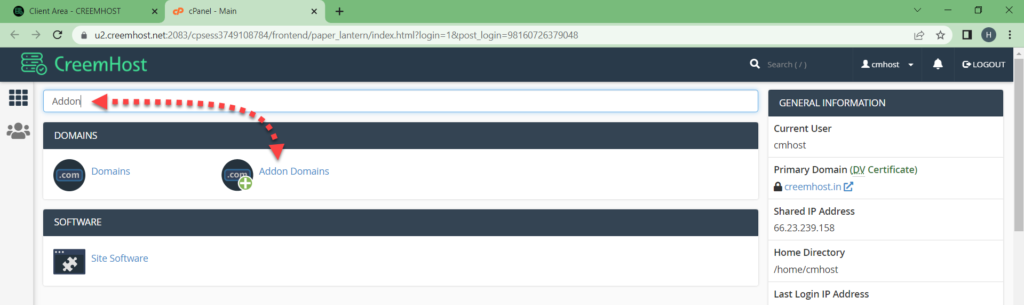
1: Login To Your cPanel & Search Addon in cPanel, Then Click On Addon Domain

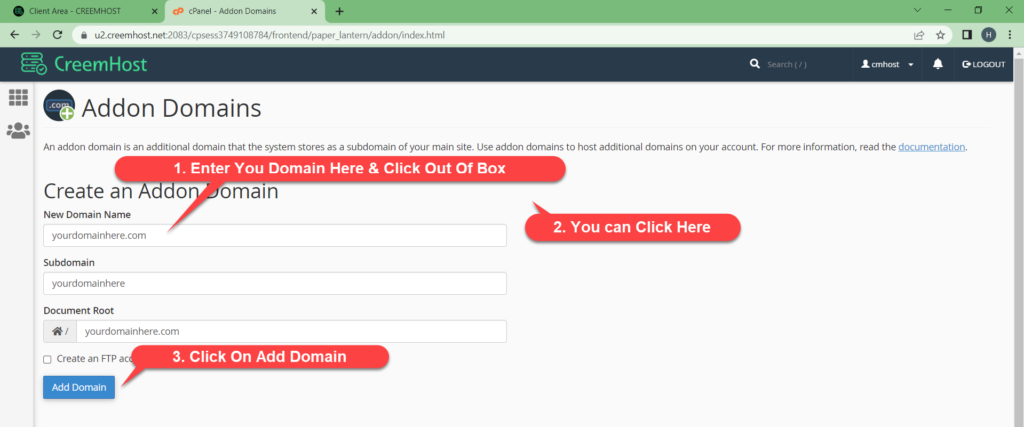
2: Put your domain name and click on out of box, then click on add domain

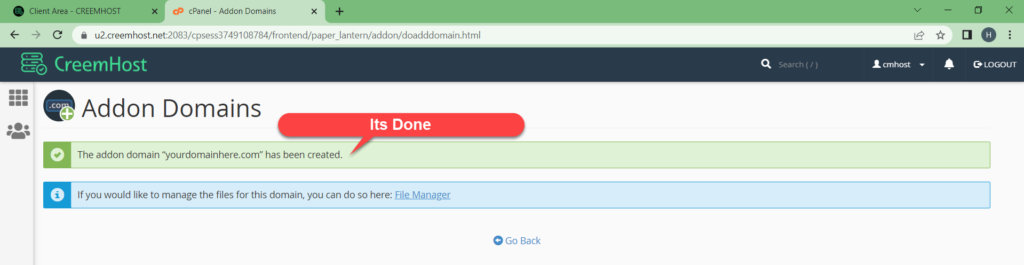
3: Then you this message” The addon domain “yourdomain.com” has been created.”

If you face any error please contact with our support team, our team will check your issue thanks.


Our Online Support Service
Hi dear, we try to provide online support to everyone related web hosting issues, if you are facing any issue on any hosting just create ticket we will try to fix your issue thank you.
WORK TIME
24 / 7
ARTICLES
123