

Welcome to creemhost, today we will learn how to enable PHP extensions and increase upload size using PHP selector.
How To Enable PHP Extensions Using PHP Selector
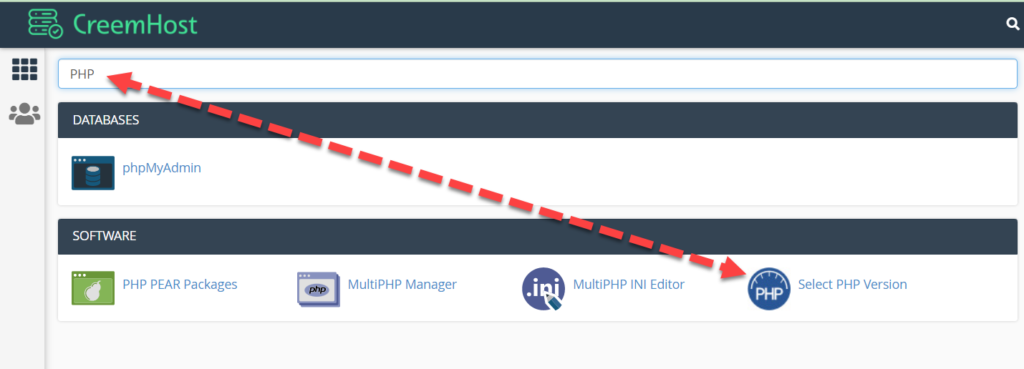
Step 1: Login To cPanel, Search PHP & Click On PHP Selector

Step 2: Now Click On Extensions & Enable Required Extension


Increase Upload Size Using PHP Selector
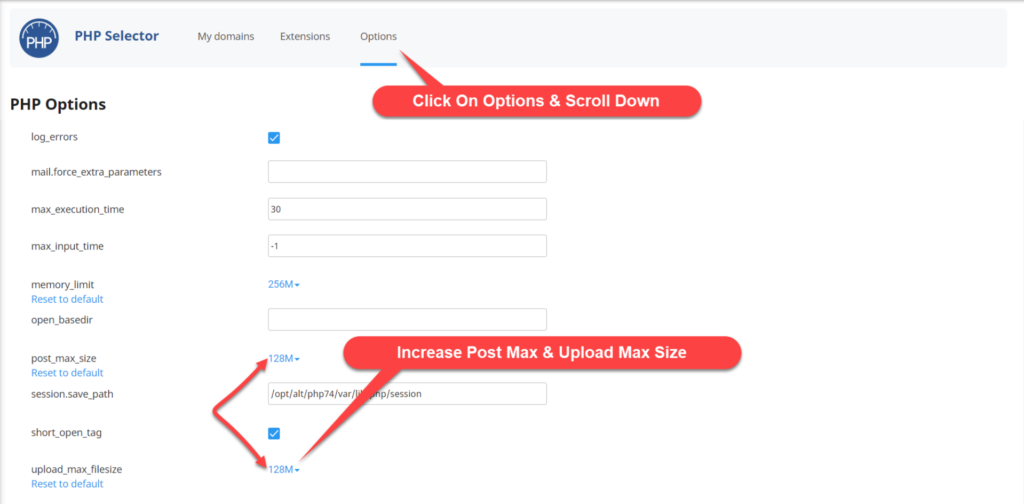
Step 3: In PHP Selector Click On Options, Scroll Down & Find “post_max_size & upload_max_filesize” Increase It 2 MB To 128 MB


Our Online Support Service
Hi dear, we try to provide online support to everyone related web hosting issues, if you are facing any issue on any hosting just create ticket we will try to fix your issue thank you.
WORK TIME
24 / 7
ARTICLES
123